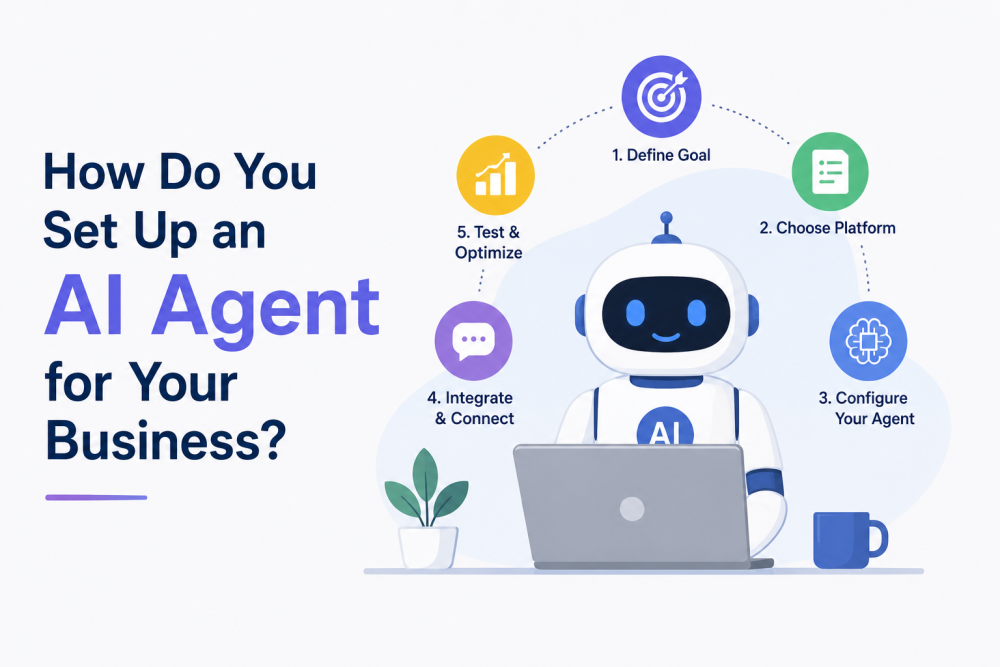
Setting up an AI agent is a seven-step job, and the steps are not what the tool demos suggest. The demos show the connecting part, clicking, authorizing, and done, because connecting is the easy sale, and they skip the parts that decide whether the agent works: choosing the right first workflow, writing the instructions that are really the whole product, and the training-wheels weeks that turn a plausible robot into a trusted one. This guide is all seven steps, in order, with the instruction-writing step given the space it deserves because it's where setups succeed or quietly rot.
Trilogy note for the cluster: Our agents' automation guide covers what agents can do; the worth-it guide covers whether yours should; and this is the how, the implementation manual. If you haven't run the worth-it math, do that first; the best setup in the world can't rescue a workflow that shouldn't be automated.
Step 1: Pick the Workflow (the Boring Criteria, Once More)
The first agent automates your most repetitive, highest-volume, lowest-stakes workflow, for most businesses, either routine customer questions, invoice chasing, appointment scheduling, or inbox triage, and the criteria are boring on purpose: repetitive means the agent has patterns to learn; volume means the savings are real; and low-stakes means the training period's mistakes cost embarrassment, not money. Write down the workflow as it actually runs today, every step, every exception you can remember, because that scrap of paper becomes the skeleton of Step 3, and because, per the automation guide's warning, an agent automates your process, and a process that lives in your head in six versions gets automated into chaos.
Step 2: Choose the Tool Layer
Three layers cover nearly every small-business setup, and the workflow chooses between them. Customer-facing conversations; support; bookings; FAQs; belonging to the dedicated support-agent category; per-resolution tools; SMB tiers; or your platform's native bot, chosen by the criteria in our support chatbot guide. Behind-the-scenes workflows, the when-this-happens-do-that plumbing, invoices, data moves, and notifications belong on the no-code automation platforms, the Zapier-class tools whose agent features take plain-English instructions. And assistant-with-connectors setups, your AI assistant wired into email, calendar, and documents, covers the triage-and-drafting layer for you personally. Many businesses end up with one of each eventually; the first setup picks the single layer the Step 1 workflow lives on and resists the platform tour.
Step 3: The Access Setup, Done Right the First Time
Before instructions, permissions, and the rules from our data safety guide apply verbatim. Least privilege: the agent gets access to exactly what the workflow requires, the support inbox, not the whole email account; and the invoicing app, not the bank. Its own credentials where the platform allows, so access can be revoked without changing your passwords and so the logs show what the agent did versus what you did. Business tiers with training exclusions are confirmed; customer conversations and business data flow through this thing, so the tier rule isn't optional. And the moment anything sensitive is in scope, run the five vendor questions from that guide before connecting, not after.
Ten careful minutes here prevents the entire category of setup regret. Rushed permissions are the technical debt that collects interest in incidents.
Step 4: Write the Agent Brief (This Is the Actual Product)
Here's the step the demos skip and the successful setups obsess over: the instructions, the agent brief, and the product. The same agent with vague instructions is a liability and with a good brief is an employee, and writing one is a skill with a learnable shape. Five sections:
The job, in one paragraph: what this agent does and, crucially, what it doesn't. "You answer order-status, returns, and product questions for [business]; you do not discuss refunds over $X, legal matters, or complaints; those escalate."
The steps from your Step 1 scrap of paper: the workflow written as instructions in the order a careful new hire would follow, including where to look things up (the help docs, the price list, the calendar) rather than answering from memory; agents given sources cite them; agents without sources improvise.
The voice: three adjectives and two example replies in your actual tone, per the brand-voice rules our marketing guides preach, because the agent is now a public face of the business and default-AI-cheerful is nobody's brand.
The edges, the section that earns its length: every "if X, then escalate to a human" you can think of, angry customers, anything involving money beyond routine, requests outside scope, and uncertainty itself ("if you are not confident, say so and hand off"). The escalation list is the safety system, and it grows in Step 5, but it starts here, generously.
And examples: three to five real past cases, the messy real ones, with the response you'd want. Worked examples teach agents faster than any amount of description, exactly like new hires.
Write it in a document you own, not just the tool's settings box, per the lock-in advice in our hidden costs guide: the brief is portable business knowledge, and the day you switch tools, it's the part you keep.
Step 5: Training Wheels, Two to Four Weeks
Deploy in draft mode: the agent proposes everything for two to four weeks, and a human approves; treat the period as data collection rather than a formality. Keep the error log, every wrong, weird, or off-tone output, with a note on why, and feed it back weekly: each error becomes a new line in the brief's edges section or a corrected example. This loop, error, brief update, and fewer errors is the entire mechanism by which agents get good, and the businesses that skip it don't have agents; they have slot machines.
During the same window, test the edges deliberately; don't wait for customers to find them: the ambiguous request, the angry message, the question just outside scope, the input in another language your audience uses, and the request that should trigger escalation. An hour of adversarial testing beats a month of hoping.
Steps 6 and 7: Go Live, Then Never Fully Leave
Go-live is gradual, not a switch: remove approval from the low-stakes majority first; keep human gates permanently on anything outbound to customers beyond routine, anything touching money, and anything the error log still flags; and follow the standing rules from the automation guide. Tell customers a bot is in the loop when they're talking to one—honesty that costs nothing and buys patience—and make the escalation path visible to them too. "Type human anytime" defuses the exact frustration that kills bot deployments.
Then the permanent routine, small and non-negotiable: the weekly skim of transcripts or activity logs (ten minutes, per the smoke-detector rule across our agents' coverage); the monthly brief review as products, prices, and policies change, since agents drift when the world does and the brief is the tether; and the spending alert on any usage-priced tool, set on day one per the hidden costs guide. When the first agent has been running boring for a month, and boring is the goal, pick workflow two and run these same seven steps in a third of the time, because the brief-writing skill, it turns out, was the thing you were actually building.
The Bottom Line
Setting up an AI agent: pick the repetitive, low-stakes, high-volume workflow and write it down. Choose the layer, support-bot, automation platform, or connected assistant, that the workflow lives on. Set access by least privilege on business tiers. Write the brief like the product it is, job, steps, voice, edges, and examples in a document you own. Run training wheels with an error log for two to four weeks; test the edges on purpose; go live gradually with permanent gates on money and outbound; and keep the weekly skim and monthly brief review forever.
The demos sell the connection. The value lives in the brief and the loop, which cost a few focused hours and pay back in the five-to-ten weekly hours our automation guide promises indefinitely per workflow. Set it up like an employee, review it like an employee, and it will earn like one.
FAQs: Setting Up AI Agents
How long does it take to set up an AI agent for a business?
The honest timeline: an afternoon for the technical connection and first brief, then two to four weeks of training-wheels operation before real trust, with the error log loop doing the actual training. Vendors quote the afternoon; the businesses with working agents budget the weeks, and second agents set up in a fraction of the time once the brief-writing skill exists.
What should I include in an AI agent's instructions?
Five sections: the job with explicit exclusions; the workflow steps, including where to look things up; your brand voice with example replies; a generous escalation list (every if-this-then-human you can imagine, plus "escalate when uncertain"); and three to five worked examples from real past cases. The instructions are the product; keep them in a document you own and grow them from the error log weekly.
What permissions should an AI agent have?
The least that the specific workflow requires is the support inbox rather than the whole email account, the invoicing tool rather than banking, and its own credentials so access is revocable and logged on business tiers with training exclusions confirmed. Broad access is the setup shortcut that becomes the incident, and the data rules from our AI data safety guide apply in full.
When can I let the agent work without approving everything?
After the training-wheels period, two to four weeks of draft-and-approve, when the error log has gone quiet on the routine cases, remove approval gradually from the low-stakes majority and keep permanent human gates on outbound customer communication beyond routine, anything touching money, and whatever the log still flags. Autonomy is earned by category, not granted by date.
Why is my AI agent giving wrong or weird answers?
Almost always the brief, not the model: vague instructions; no sources to cite (agents without a knowledge base improvise); missing edge-case rules; or a world that changed, with prices, policies, and products while the instructions didn't. The fix is the loop: log the errors, translate each into a brief update or corrected example, and review monthly so drift never accumulates.
Should customers know they're talking to an AI agent?
Yes, disclose it and make the human path visible, "type human anytime," because the honesty costs nothing, several jurisdictions are moving that direction anyway, and the frustration that kills bot deployments is precisely the trapped-with-a-robot feeling the visible exit defuses. A disclosed bot that escalates gracefully reads as good service; a hidden one that fails reads as deception.