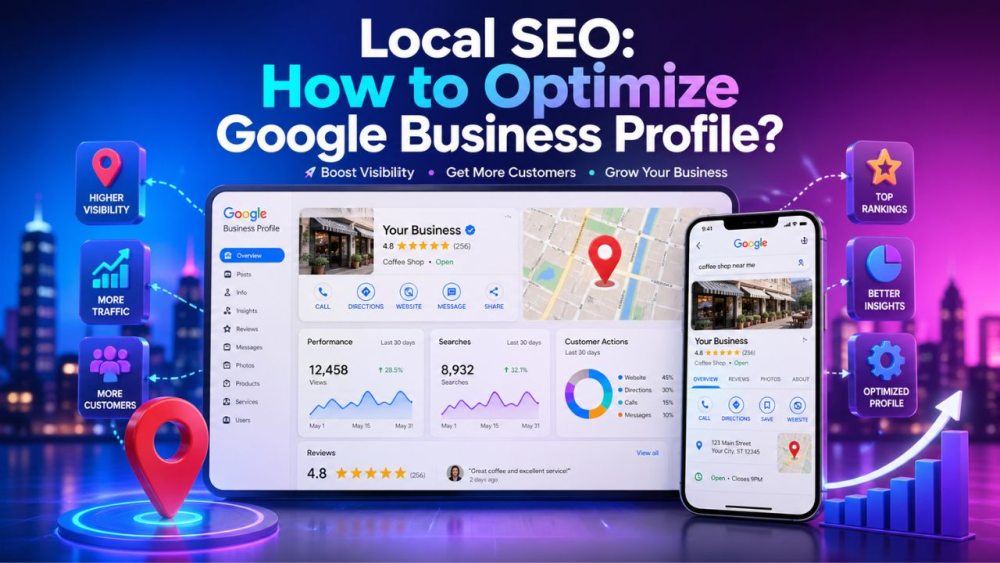
Most local buyers move fast. They search, compare, read a few reviews, check hours, and then pick a business. Your Google Business Profile shapes much of that choice. Local results rely mainly on relevance, distance, and popularity. Google also says complete and accurate profile details help a business show in local search.
If you want more calls, visits, and leads, treat your Google Business Profile like a working sales asset. Keep it accurate. Keep it active. Keep it useful. Google ties local visibility to strong business details, fresh hours, reviews, and media.
This guide stays focused on tips. You will see what to fix, why it matters, and what Google looks for. You will also see a few hard facts from Google’s help pages, such as the three local ranking factors, the 750 character limit for business descriptions, and the way Google tracks profile views, clicks, and search terms.
Why Google Business Profile Matters for Local SEO
Google Business Profile matters because it helps Google match your business with local intent. Relevance depends on how well a profile matches a search. Google also says complete and detailed business info helps its systems understand your business and match it with relevant searches.
This matters for local SEO because your profile often appears before your site earns a click. A weak Google Business Profile leaves gaps. A strong one answers basic questions at once. What do you offer? Where do you serve? When are you open? Why should a buyer trust you? Google’s guidance points toward those basics again and again.
Tip 1: Claim and Verify Your Google Business Profile First
Start with ownership. You need to verify your business before you edit core details and interact with customers. Google also says verification makes it more likely your profile shows in search results.
Options depend on business type, public info, region, or business hours. Google lists methods such as video recording, phone or text, email, live video, and mail. Google also notes some businesses need more than one method.
Your action here is simple. Claim the profile. Verify it with the method Google offers. If you manage many locations, check each one. A half-managed Google Business Profile often stalls every other step in your local SEO work.
Tip 2: Fill Every Core Field
Businesses with complete and accurate info are more likely to show in local results. It lists key fields such as full address for customer-facing locations, phone number, business type, and extra details such as parking or WiFi.
Fill every field you honestly support. Add your main phone line. Add your site. Add hours. Add category details. Add service details. Add attributes that help a buyer pick you with less friction. This work helps users. It also helps Google read your business with less guesswork.
Many profiles lose ground here. Owners fill the easy parts, then stop. Google’s own guidance links profile completeness with stronger local visibility. So treat your Google Business Profile like a local landing page. Empty fields leave room for weaker competitors.
Tip 3: Pick the Right Primary Category
Category choice shapes relevance. You should pick a primary category that best describes your business. Google also says you should pick a specific category from the list when one exists. Its own example says "nail salon” works better than "salon."
This is one of the strongest practical tips in Google Business Profile work. If your primary category is too broad, your profile sends a weak signal. If your category is precise, Google has a cleaner read on your services and a better chance to match your profile with the right local query.
Keep secondary categories tight. Use them only when they reflect real services. Do not treat categories like a keyword field. Google’s guidance says your business name and details should reflect the real-world version of your business, not a search-stuffed version.
Tip 4: Set Address, Service Area, and Hours Correctly
Address accuracy matters. Service area businesses should hide the business address from customers. It gives a clear example. A plumber working from a home address should clear the address from the profile.
If you serve customers at a storefront, use the real customer-facing location. If you travel to clients, use a service area setup. You should hide the address only for a service-area business. It also lets you set up to 20 service areas, and service area edits may take up to 48 hours to show.
Hours deserve the same care. Google tells businesses to keep regular hours and special hours current. This helps customers know when they can visit. It also reduces wasted calls, bad visits, and poor reviews tied to wrong hours.
Tip 5: Write a Clear Business Description
The description of your Google Business Profile should explain your offer in plain language. It covers what you offer, what makes you special, how long you have been in business, and other helpful details. Google also says the field should stay under 750 characters.
Google also lists what to avoid. No URLs. No HTML. No heavy focus on promotions, prices, or sales. That rule matters because many local profiles waste this section on slogans and offers. Use the space for service clarity instead.
A strong description helps local SEO, GEO, AEO, and voice search at once. Why? Because clear service language helps Google connect your business with direct questions and service plus location queries. Write for a buyer first. Use clean service terms. Name your main offer. Name your service area. Keep the copy tight.
Tip 6: Add Services/Products/Photos/Videos
Photos and videos complete your business profile and make it more attractive to customers. Google also says an exterior photo helps customers recognize your business when they visit.
This gives you a simple checklist for your Google Business Profile. Add a strong logo. Add a cover image. Add exterior shots. Add interior shots. Add product shots. Add service images. Add team photos when relevant. Show what a buyer will see before a visit or call.
For retail businesses in eligible countries, in-store products might appear in local search results. Even if your business does not use product features, the lesson stays the same. Rich profile content helps users compare options faster.
Tip 7: Get More Reviews, Then Reply Like a Real Person
Reviews help your business stand out and give potential customers helpful info. Google also says more reviews and positive ratings help local ranking.
So ask for reviews after a good sale, a completed job, or a smooth service experience. Keep the ask short. Make it easy. Google offers review links and QR code options, which reduce friction in the review flow.
Replies matter too. Positive reviews and helpful replies help your business stand out. A reply shows attention. It shows care. It also gives future buyers more context before they contact you.
Keep replies short and specific. Thank the buyer. Mention the service when it fits. Address issues without ego. Your Google Business Profile should sound human. Flat template replies waste a trust signal. Honest replies strengthen one's resolve. This is practical local SEO, not fluff.
Tip 8: Post Updates on a Regular Basis
Posts on Business Profile help you share current info, improve customer experience, and connect with customers through text, photos, and videos. Google also says posts appear in the Updates or Overview areas on mobile and in the "From the owner" area on desktop.
This gives your Google Business Profile an active layer. Post service updates. Post-seasonal hours. Post events. Post offers when they fit your business. Post useful news buyers need before they visit or call.
A stale profile feels neglected. A live profile feels managed. That difference matters in local search because buyers compare options in seconds.
Tip 9: Track Performance and Improve with Data
Profile owners and managers see views, clicks, and other customer interactions on Search and Maps. Google also says you can set a date range to study performance over time.
Use those numbers. Look at profile views. Look at clicks. Look at calls. Look at direction requests. Look at search terms. Search terms update at the start of each month and might take up to five days to appear.
This data tells you where your Google Business Profile needs work. High views with low calls often point to weak trust signals. Low views often point to weak relevance, thin content, poor categories, or weak review volume. You do not need guesswork when Google gives you user interaction data.
Tip 10: Avoid Common Mistakes
Nothing is better than local ranking. That point matters because many businesses still chase shortcuts. Local visibility comes from better relevance, cleaner details, stronger reviews, and stronger prominence signals.
Your business name should match the real-world name used on your storefront, website, stationery, and by customers. Do not stuff extra services, city names, or taglines into the name field. Put those details in the right sections instead.
Another common mistake sits in the address field. If you run a service area business from home, hide the address. If you run a storefront, use the real location. A wrong setup here hurts trust and risks profile issues.
Conclusion
Audit your Google Business Profile today. Check ownership. Check the category. Check the description. Check hours. Check address or service area. Check photos. Check reviews. Check post activity. Then fix one weak area at a time. Google’s help pages make the direction clear. Strong local profiles win through accuracy, completeness, relevance, and trust.
FAQs
How do you optimize Google Business Profile for local SEO?
Start with verification. Then complete every core field, pick the right category, set the right address or service area, add photos, earn reviews, reply to them, and keep hours current. Google’s own local ranking guidance ties better visibility to complete info, accurate info, reviews, and relevance.
Do reviews help Google Business Profile rankings?
Yes. More reviews and positive ratings help local ranking. Google also says reviews help your business stand out and give buyers useful info.
How often should you update your Google Business Profile?
Update Google Business Profile on a regular basis. Google stresses current business info, current hours, and active profile details because buyers rely on those fields before they act.
Should a service area business show its address?
No. Service area businesses should hide the address from customers. Google gives a plumber working from home as a direct example.
Can you add keywords to the business name?
Use only your real business name. The name should match the real-world name used across your storefront, website, and customer-facing materials.